Keeping your devices powered during a trip means planning ahead for airports, planes, trains, hotel rooms, and car travel. The key tools are a portable power bank, a multi-port charger, the right plug adapter for international travel, and a few software settings that stretch battery life. This guide walks you through each charging situation and shows how to avoid common pitfalls.
Understanding the Basics of Travel Charging
Every travel day brings different opportunities to recharge. You might find AC outlets at the airport gate, USB ports on an airplane, a car charger on the road, or limited sockets in a hotel room. The goal is to carry the right gear so you can top up your devices whenever a power source appears—without relying on borrowed cables or risking data security. Start by assembling a small kit that covers the main scenarios.
Choosing the Right Power Bank
A power bank is the most reliable way to charge on the go. Look for a model with enough capacity to fully recharge your phone at least once or twice—laptops and tablets need a higher-capacity power bank that supports higher wattage output. Most power banks connect via USB-A or USB-C, and many newer ones can fast-charge a variety of devices.
Because power banks contain lithium-ion batteries, aviation authorities set strict rules for flying with them. Carry your power bank in your carry-on bag only; it is not allowed in checked luggage. The FAA limits batteries to 100 watt-hours (Wh) for most travelers. If your power bank is rated between 100 and 160 Wh, you must get approval from the airline. Check the label on your power bank for its Wh rating, and always confirm with your airline before departure. For the latest official guidance, see the FAA PackSafe page on lithium batteries.
When shopping for a power bank, compare its watt-hour rating and output ports to your devices’ needs. A versatile choice has at least two ports (USB-A and USB-C) and supports the fast-charging standards your phone or laptop uses. For a convenient option, consider a power bank that fits in your pocket or day bag.
Charging at Airports
Airports offer charging stations at gates, food courts, and lounges. To use them safely and efficiently:
- Bring your own cable and wall charger. Stations may have only a power outlet or a loose cable. Having your own cable ensures a full-speed charge and avoids sharing a cable that might be damaged or low-quality.
- Be cautious with public USB ports. A USB port in an airport or other public space could potentially transfer data as well as power. To protect your data, use a USB data blocker—a small adapter that fits between your cable and the port and blocks data communication while allowing power to flow. You can find a USB data blocker that is small enough to keep on your keychain.
- Use a high-wattage charger if you need to charge a laptop quickly. Airports often have standard AC outlets; a small GaN (gallium nitride) charger can deliver high power in a compact size.
For general rules about what electronics you can bring through security, refer to the TSA’s What Can I Bring? page.
Charging on Planes and Trains
Many modern aircraft and long-distance trains have in-seat power. On planes, you may find a standard AC outlet, a USB-A port, or both. Train seats often include a similar setup. To make the most of these outlets:
- Carry a multi-port charger so you can charge more than one device at a time. A small charger with two USB-C ports and one USB-A port lets you top up your phone, tablet, and power bank simultaneously.
- Check power output before plugging in a high-demand device like a laptop. Many airplane USB ports deliver too little power for a laptop. Use the AC outlet instead if available.
Hotel Room Charging
Hotel rooms often have inconveniently placed outlets: behind furniture, on only one side of the bed, or too few for a family. Solve this with a few items in your travel kit:
- Multi-port USB charger (or USB-C GaN charger) that can replace multiple wall warts. A charger with three or four USB ports lets you charge phones, tablets, earbuds, and a power bank from one outlet.
- Short extension cord or a travel power strip to reach outlets blocked by furniture. Look for a power strip that also has USB ports.
- Check the desk lamp base and the TV’s USB port. Many desk lamps have a built-in outlet, and some hotel TVs include a USB port that can charge a phone (though this may be a lower-power port).
Charging While Driving
A car charger lets you replenish devices during a road trip or while waiting in the car. Choose a car charger that has multiple ports—at least one USB-C and one USB-A—so different devices can charge simultaneously. If your car supports fast charging, pick a charger that matches your phone’s standard (for example, USB Power Delivery or Quick Charge). Keep in mind that the car’s 12V outlet (cigarette lighter) may deliver different power when the engine is off; consult your vehicle’s manual for safe practices.
Charging Abroad
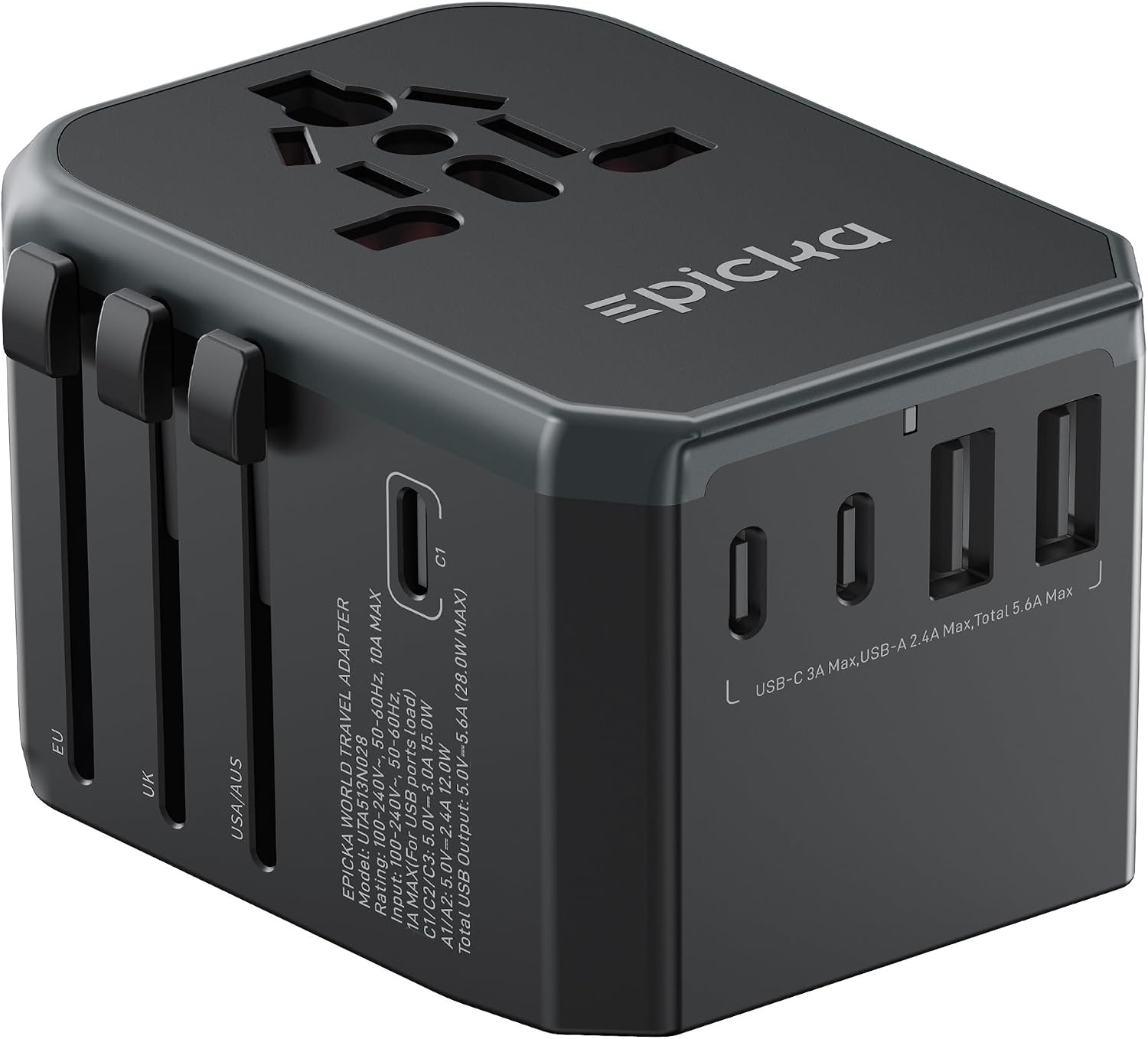
Electrical outlets and voltage differ by country. A plug adapter changes the shape of your plug to fit the local socket, but it does not change voltage. Many modern phone and laptop chargers are “universal” and accept 100–240 volts, so you only need a plug adapter. However, if you travel with a hair dryer, curling iron, or other appliance that does not have a dual-voltage switch, you may need a voltage converter. The best approach is to check the label on your charger; if it says “100-240V,” you are safe with just an adapter. For a detailed guide on plug types and voltage, see our page on Do You Need a Travel Adapter or a Voltage Converter?
If you plan to charge multiple devices abroad, a travel power strip with a removable cord and a universal adapter can simplify things: plug the adapter into the wall, then plug your chargers and strip into the adapter.
Battery-Saving Settings
Reducing your device’s power draw delays the need for the next charge. Apply these settings, especially before long stretches without an outlet:
- Lower screen brightness and set it to auto-adjust if available.
- Enable low-power mode (or battery saver mode) on your phone and laptop. This dims the screen, reduces background activity, and limits performance.
- Turn off Bluetooth and Wi-Fi when not in use. Enable airplane mode when you’re in an area with no signal or want to save maximum battery.
- Close apps running in the background, especially map and streaming apps that constantly refresh.
- Reduce screen timeout to 15 seconds or 30 seconds.
- Disable location services for apps that don’t need them (like navigation only when actively guiding).
Charging Methods at a Glance
| Charging Situation | Recommended Gear | Key Tips |
|---|---|---|
| Airport / plane / train | Power bank, multi-port USB charger, cable, data blocker | Bring own cable; use data blocker on public USB ports |
| Hotel room | Multi-port USB charger, short extension cord, adapter (if abroad) | Check desk lamp and TV for extra USB ports |
| Car | Car charger with multiple ports, USB-C and USB-A | Check car’s fast-charge compatibility |
| International travel | Plug adapter, possibly voltage converter | Verify your charger accepts 100–240V before using adapter only |
| Battery extension (any time) | None needed | Enable low-power mode, reduce brightness, turn off radios |
Common Mistakes
- Forgetting cables and leaving them behind. Keep a dedicated travel charging kit packed at all times so you never leave a cable in the hotel.
- Using only one charger. A single wall charger forces you to charge one device at a time, which can be slow if you have multiple devices and a tight schedule. Pack a multi-port charger.
- Not checking voltage when traveling abroad. Plugging a 110V-only device into a 220V outlet (or vice versa) can damage the device or start a fire. Always read the charger label.
- Stowing a power bank or spare batteries in checked luggage. This is against FAA rules and can be dangerous. Keep them in your carry-on.
- Relying on public USB cables. They may be slower or compromised. Use your own cable and a data blocker.
Troubleshooting
Power bank won’t charge my device
First, check that the power bank itself has charge by pressing its power button (if equipped). Then confirm you’re using the correct cable and that the cable is fully inserted at both ends. Some power banks require you to press the power button before they begin outputting power. If your device demands fast charging (like a laptop), ensure the power bank’s output wattage matches at least the minimum required by the device.
Slow charging speed
Charging speed depends on the power source, cable quality, and device’s current charge level. If plugging into an airplane USB port, expect slower speeds; use the AC outlet instead for faster charging. If using a multi-port charger, the total power is shared among ports—charging fewer devices at once gives each one faster speed.
No outlet or USB port available
In crowded spaces like airport gates or train stations, outlets can be scarce. Arrive early, look for charging stations (often near waiting areas), and always keep your power bank fully charged so you can use it as a buffer. On some long-haul flights, older planes may not have in-seat power; bring a fully charged power bank as backup.
FAQ
Can I bring a power bank on a plane?
Yes, but it must be in your carry-on bag, not in checked luggage. The FAA limits most power banks to 100 watt-hours (Wh). Power banks between 100 and 160 Wh require airline approval. Check the label on your power bank for its Wh rating and review the airline’s policy before flying. For official details, see the FAA PackSafe page.
Are public USB ports safe to use?
Public USB ports can potentially transfer data along with power, which poses a security risk. Using a USB data blocker prevents data exchange while allowing power to flow. Alternatively, you can use a charging-only cable that has no data wires. Avoid using public ports for high-value devices like laptops unless you have a data blocker.
Do I need a voltage converter for international travel?
Most phone chargers, laptop power bricks, and USB chargers are designed to work with a range of voltages (100–240V). Check the label: if it says “100-240V” you only need a plug adapter to change the shape of the plug. If your device is labeled for only one voltage (e.g., 110V), you must use a voltage converter when traveling to a country with a different mains voltage, or risk damaging the device.
How can I make my device battery last longer during a travel day?
Enable low-power mode, reduce screen brightness, turn off Bluetooth and Wi-Fi when not in use, close unnecessary apps, and set a shorter screen timeout. Airplane mode is especially effective when you are in an area with weak or no cellular signal, as the device won’t waste power searching for a network.
A little preparation goes a long way toward staying powered and connected throughout your trip. By choosing the right power bank, packing a multi-port charger and a data blocker, setting your devices to save battery, and understanding both air-travel rules and international power differences, you can avoid dead batteries and keep your devices running when you need them most. For a complete overview of gear to bring, see our Travel Electronics Checklist and the broader Travel Electronics section.