 By Emily Parker
Updated November 2026
A good travel bag for iPad and accessories protects the tablet, keeps chargers and cables from tangling, and fits under an airline seat or in a carry-on without fuss. This guide walks through how to measure your gear, judge padding and pocket layout, and pack the bag so nothing shifts or gets lost. By the end, you will know which features matter and which are marketing extras.
Measure Your iPad and Accessories First
Start with the device, not the bag. Measure the iPad’s length, width, and thickness with a case on, since many people carry a protective cover that adds several millimeters. Then list your accessories: stylus, a charger brick, a USB-C or Lightning cable, and possibly a keyboard cover. Add roughly 10 to 15 percent to the total footprint so the bag does not feel cramped once it is zipped.
Shopping for one? See our guide: 5 Best Travel Bags for Bathroom Accessories: Our Picks Compared (2026).
Check the Protection Inside the Bag
Padding matters more than the outer fabric. Look for a dedicated sleeve lined with a soft, non-abrasive material, and check that it is thick enough to absorb a drop onto a hard surface. Manufacturers often specify whether a compartment is padded on all sides or only the back panel, and that difference is important if you tend to set the bag down quickly. A padded sleeve should hold the tablet snugly without pressure on the screen when the bag is closed.
Plan the Pocket Layout for Accessories
Small items are the reason most people end up with a tangle of cables at the bottom of a backpack. Choose a bag with at least one elastic loop or mesh pocket for the stylus, one zippered pocket for the charger brick, and a separate slot for cables. Separate pockets keep the charger from scratching the screen and make it easy to find a cable without unpacking the whole bag. If you carry a second device, such as a phone, make sure there is a pocket that keeps it apart from the tablet.
Pack and Carry the Bag Correctly
- Place the iPad in its sleeve screen-side toward the back panel.
- Wrap the charger cable around the brick and store it in a zippered pocket.
- Slide the stylus into its loop so the tip is protected.
- Fill any remaining empty space with a soft item, so the bag does not shift during transit.
- Keep the bag flat when placing it in an overhead bin or under the seat.
Common Mistakes to Avoid
- Choosing a bag sized for the tablet alone and forgetting the charger and cables.
- Storing the iPad loose in a main compartment with keys or coins.
- Ignoring the sleeve’s depth, which can let the tablet slide when you lift the bag.
- Overpacking the bag so the zipper strains and the padding compresses.
- Skipping a quick check that the bag fits your airline’s personal item size limits.
Recommended Gear
A padded tablet sleeve keeps the screen safe inside a larger bag, which helps when you carry a laptop or notebook alongside the iPad. View on Amazon
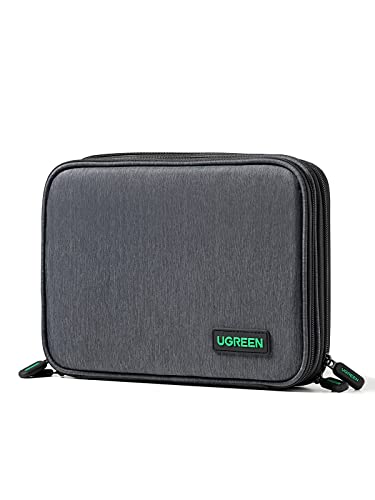
A compact cable organizer pouch keeps chargers, adapters, and cables grouped so they do not tangle in a pocket. View on Amazon
A slim stylus holder or elastic strap attaches inside the bag so the stylus stays put. View on Amazon
FAQ
What size bag do I need for an iPad and accessories?
Measure the iPad with its case, add the charger and cable footprint, and then allow about 10 to 15 percent extra room. That margin keeps the bag from feeling tight when fully packed.
Is a padded sleeve necessary for a travel bag?
Yes, for most trips. A padded sleeve absorbs bumps and keeps the screen from contacting zippers or other items.
Can I carry an iPad bag as my personal item on a flight?
Often yes, if the bag stays within your airline’s personal item dimensions. Check the carrier’s current size guidelines before you travel.
Conclusion
A well-chosen travel bag for iPad and accessories comes down to fit, padding, and a sensible pocket layout. Measure your gear, confirm the protection inside the bag, and pack with separate spaces for cables and the stylus. For more options, see Travel Case for Tech Accessories: How to Choose and Pack One (2026) and Electronics Travel Bag Accessories Cases: 9 Picks and How to Choose (2026).
Related reading
- Men's Travel Accessories Bag: 5 Best Picks Compared (2026)
- Golf Travel Bag Accessories: 9 Essentials for Safe, Organized Flights
Ready to choose one?
About Emily Parker
Emily Parker is part of our editorial team and reviews and edits our travel essentials & packing lists guides, checking product details against manufacturer specifications and owner feedback.